Handwriting OCR
Camera → editable text (AR+EN).
- Android
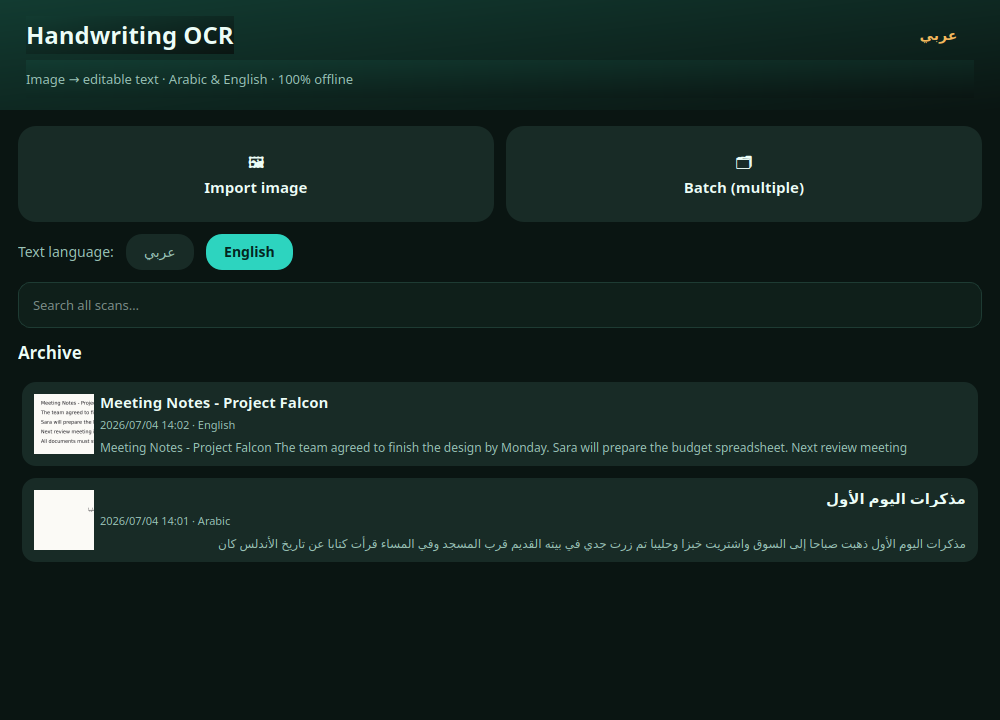
Point your camera at handwriting or print and get editable text in Arabic or English, saved to a searchable archive — offline, with a full editor for correcting what the recognizer gets wrong.
What it does
- Scan handwriting or printed pages with the camera and turn them into editable text
- Import existing photos from the gallery (single or multiple images) instead of the camera
- Offline Arabic and English recognition (Tesseract) with a one-tap language switch
- Automatic image clean-up before recognition: EXIF rotation, grayscale, contrast stretch, and upscaling of small photos
- Printed pages read best. Handwriting results depend on how clear the writing is, and on Arabic they usually need editing — which is why the result screen is a full editor
- Full-text searchable on-device archive that keeps every scan as text plus its image
- Edit the recognized text freely with auto-save, then copy, share, or export it as a .txt file or save the image
- Works offline with no account and no Google services required — the internet is used once to activate your licence
Runs on
- Android 7.0 or newer
- Works offline
- No tracking
- Pay once, no subscription