DeviceDeck
Mirror & control Android from your PC — and control your PC from any device.
- Android
- Windows
- Linux
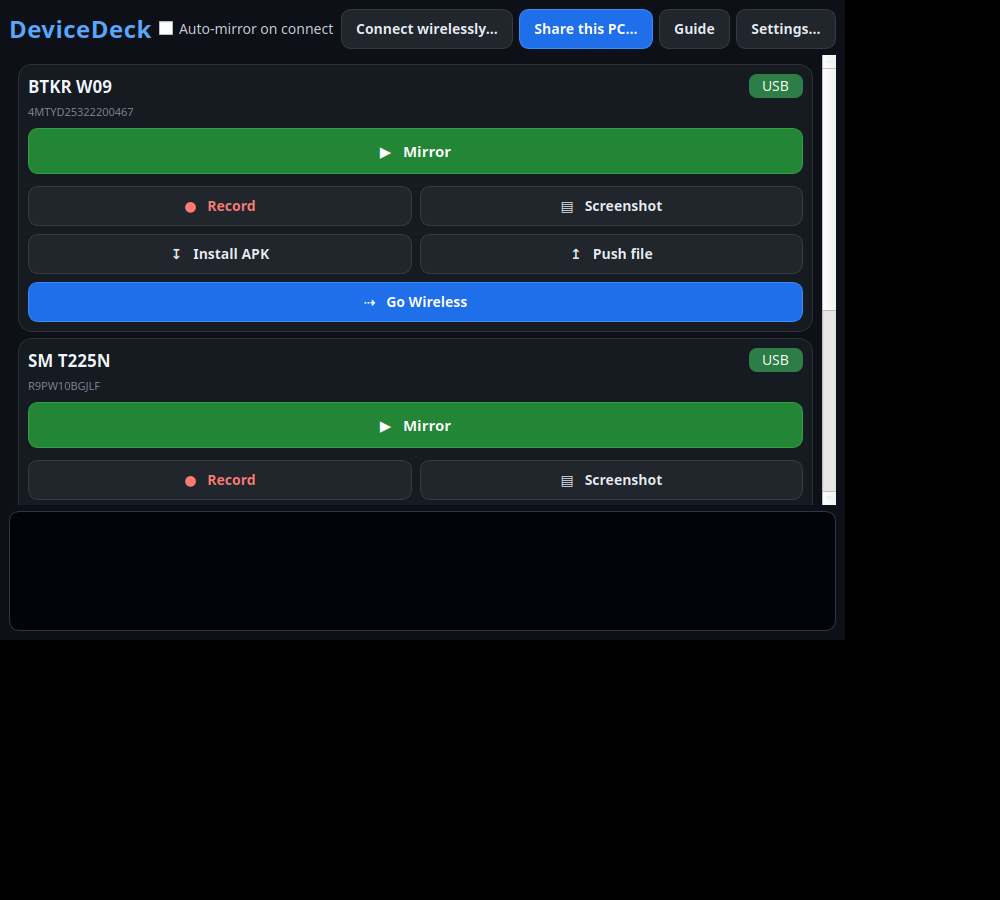
DeviceDeck turns any Android phone into an emulator‑like window on your PC — mirror and control it over USB or Wi‑Fi with your mouse and keyboard. It also works the other way: “Share this PC” lets a phone or another computer see and control your desktop from a web browser. Everything runs offline over a cable, the same Wi‑Fi, or a hotspot — no internet, no accounts. Windows, Linux and Android.
What it does
- Mirror and control any Android phone from your PC — over USB or Wi‑Fi, as easy as an emulator (mouse = touch, keyboard types).
- One click to mirror; drag‑and‑drop to install APKs; record the screen and take screenshots.
- “Share this PC” — let a phone or another computer see and control your Windows/Linux desktop from any web browser.
- Works fully offline over a cable, the same Wi‑Fi, or a phone hotspot — no internet, no accounts, nothing to download.
- Runs on phones without Google Play (Huawei and others). The app itself runs on Windows and Linux; a small companion app is included for the phone, and it needs no Play Store.
- One‑time purchase. No ads. Arabic & English.
Runs on
- Android 5.0 or newer
- Windows 10/11
- Linux: Mint 22+ / Ubuntu 24.04+ (64-bit)
- Works offline
- No tracking
- Pay once, no subscription